How Irenaverse works
A guided path from your very first line of code to a game you made yourself, one small idea at a time.
# Steer the snake. Eat the gems, don't bite yourself.
snake = sprite("snake", 400, 300)
gem   = sprite("gem",   100, 100)
dx    = 20
dy    = 0
score = 0

on key_down "left":
    dx = -20
    dy = 0

every 120:
    snake.x = snake.x + dx
    snake.y = snake.y + dy
    text("Score: " + to_text(score), 20, 30)

 Ren
Ren
The editor. File tabs across the top, your code on the left, your game in the middle, your buddy on the right. Click a tab to peek at the other files.
Lessons that build on each other
Start with moving a dog across the screen. Each lesson adds exactly one new idea, whether that's keys, loops, variables or lists, so nothing ever feels like a wall. Finish one and the next unlocks.
Write real Irene code
Irene is a kid-friendly language that looks and feels like Python. The editor highlights what you type, autocompletes builtins, and explains any word when you hover it.
Press Run, play your game
Your code runs live on a canvas. Sprites move, keys respond, sounds play, the score ticks up. Change a number, run again, see what happens. That loop is where the learning lives.
Ren, your coding buddy
Ren lives in the chat next to your game. She gives hints by default, so she'll point at the line and ask what you'd try. Say "show me" for the code, or "walk me through it" when you want a step-by-step plan for something specific like "add an enemy". Ren only knows the concepts you've already unlocked, so help always fits where you are.
Ren
dog.x be on each tick? Right now it's just sitting at the same number.
A hint rather than the answer. That's how Ren helps by default. Say "show me" when you want the code.
Show a friend
When you've built something you're proud of, press Publish. You get a play link to send to a friend in your circle. They can play it in their browser, leave a (safety-checked) comment, or remix it into their own account. Edit freely afterwards, because friends only see what you published.
Friends in your circle can play this
They'll see the snapshot you just published. Edit freely, because your changes stay private until you Update.
One link. Only people you trust can open it.
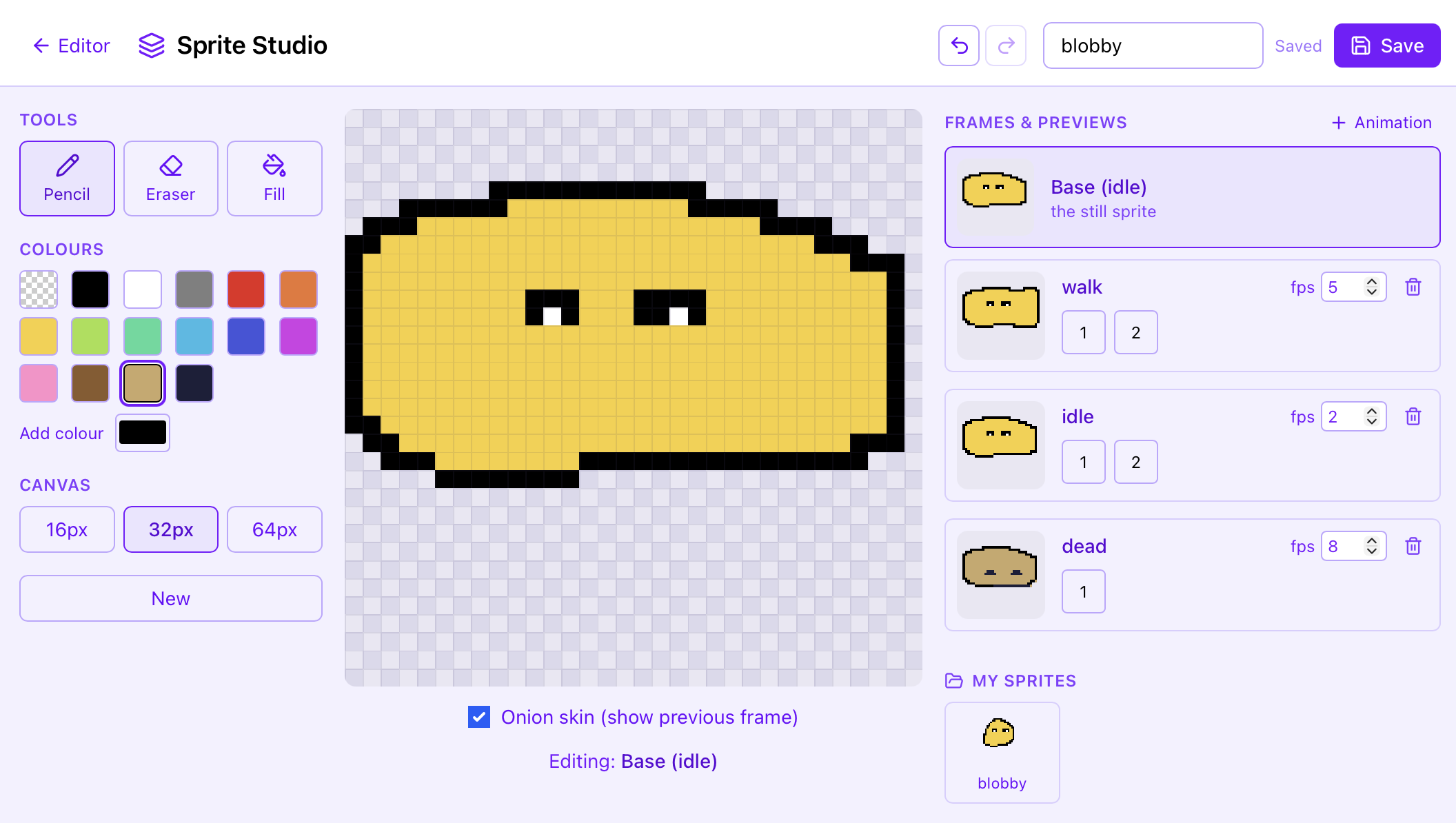
The Sprite Studio. Draw a character, give it animation frames, and use it in your game by name.
Draw your own sprites
A pixel studio with frames and onion-skinning. Paint a character, animate it, and use it in your game by name.
Add music
One line loops a chiptune soundtrack under the game. Dozens of tunes, swappable on a scene change.
That's the whole loop.
Write, run, play, ask, share. Repeat until you've built something a friend wants to remix.